
AI-Powered Trade & Project Management
Manage your entire trade business — then use AI and the Smart Project Planner to plan and design the actual work, from the architect’s drawing set to the finished job.
- Quotes, jobs, timesheets, invoices & payroll
- Smart Project Planner reads your drawing set
- AI planning for every trade on the job
30-day free trial · No credit card required · GST, BAS, PAYG and super built in

Upload the plans once. Everything else works from them.
Drop in the architect’s drawing set and AI reads every page — classifying architectural, electrical and plumbing sheets, extracting rooms, sizes and levels, and tracking every revision through to an approved set.
- 01
Upload the architect’s drawing set
- 02
AI reads every page and classifies each sheet by trade
- 03
Review the extracted rooms, levels and services, then approve a revision
- 04
Every connected AI tool opens onto the approved plan
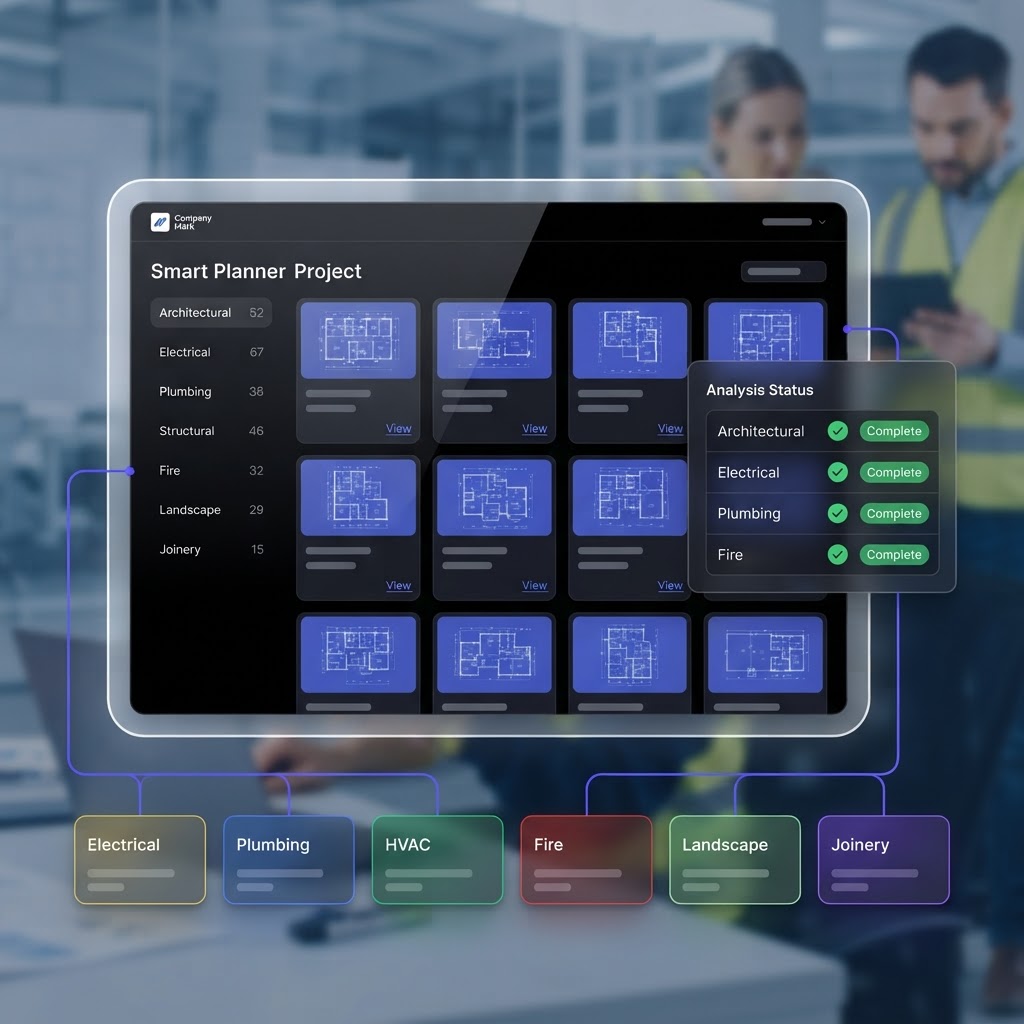
Every trade on the job, planned with AI
The same approved plan feeds Electrical, Plumbing, Interior, Kitchen, Painter, Landscape and Builder AI. No re-drawing, no re-entering the project.
Interior Design AI
Your strongest visual feature.
Upload a room photo and AI redesigns it instantly — a photorealistic render plus an itemised furniture and materials plan you can turn straight into a quote.
See it in the demoElectrical AI
Every switch, light and power point — placed.
AI places devices room-by-room on the classified floor plan, then builds the switchboard circuit schedule and prices the cable runs into the quote.
See it in the demoPlumbing AI
Wet areas detected, drainage designed.
AI detects wet areas, maps every fixture, and designs the under-slab drainage layout — complete with set-outs, pipe sizes and fall levels.
See it in the demoKitchen Designer
Design in 2D, render in 3D.
Lay out the kitchen in 2D, let AI generate a photorealistic 3D render, and produce an itemised materials list you can turn into a quote.
See it in the demoPainter AI
See the colour before the first brushstroke.
Upload a room photo, mask the surfaces, and preview real paint colours in place — then generate a photorealistic render and a paint quote.
See it in the demoLandscape AI
From bare block to finished design.
AI reads the full drawing set, then generates landscaping concepts with photoreal renders — approve one and convert it into an editable working plan with plant schedules and cost estimates.
See it in the demoBuilder AI
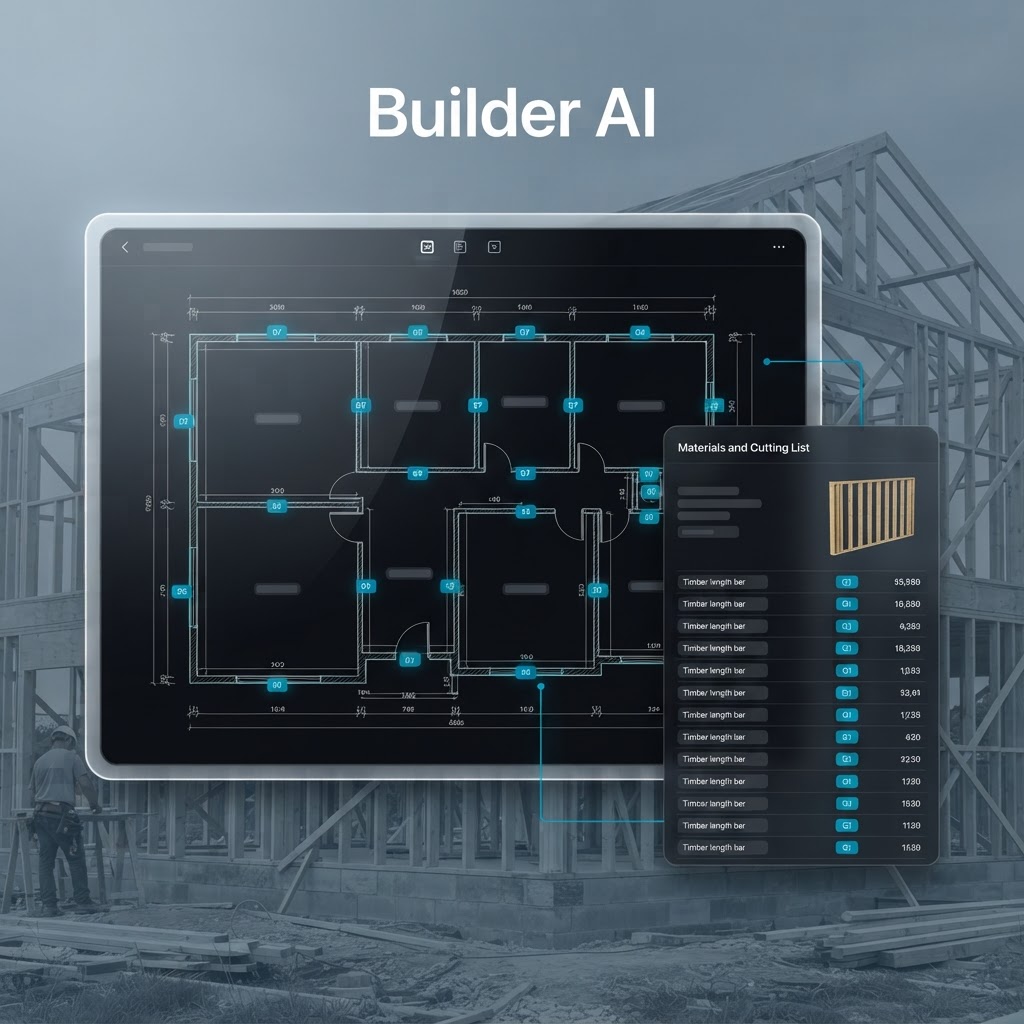
Every wall detected, framed and listed.
Open the classified drawing set and AI detects every wall, then you configure framing, generate elevations and produce a full materials and cutting list.
See it in the demoRun the whole business, not just the jobs
Quoting, scheduling, timesheets, invoicing, expenses, payroll and reporting — one platform instead of five, with everything tied back to the job it belongs to.
Daniel keeps the records moving while you are on the tools
Ask in plain English, or just say it out loud. Daniel works from your own jobs, team, timesheets and invoices, and shows you what he is about to do before anything is saved.
Job records updated as you talk
Materials to bring and outstanding work are written straight onto the job, so the office and the next visit see it.
Reminders that actually arrive
Ask for one in conversation and it lands as a notification on the phone, with email as the fallback.
Visits booked, clashes caught
Books the visit onto the job and tells you when it overlaps work already booked in.
Quotes, invoices and jobs drafted
Items and prices are worked out in the real form, ready for you to check, save and send.
Nearest supplier, on the map
A live search around the job address: business name, address, phone and directions.
Answers from your own records
Schedule, jobs, team, timesheets, materials and financials, without digging through screens.
Hands-free by voice
Talk to him on site and hear the answer back, so nothing waits until you are back at the ute.
Nothing happens behind your back
- Every change is written to your records, so the job, the calendar and the forms stay in step.
- Bookings and closed-off work ask you first: Daniel says what will change before he changes it.
- Prices, hours and stock are never guessed. If it is not known, he asks you.
Built for the trades that do the work
Electrical, plumbing, building, HVAC, painting, rendering, plastering, landscaping, joinery, security and data — and any service trade that quotes, schedules, tracks time and invoices.
One project record from the plans to the profit report.
Upload the drawing set once, let AI classify and plan it, then run every trade, crew, progress claim and invoice against the same project.
- Plans
- Smart Project Planner
- AI design & planning
- Multiple trades
- Jobs
- Employees
- Progress
- Invoices
- Financial reporting
Start your free 30-day trial
No credit card required. Set up your whole trade business — and plan the actual work with AI — in one platform.